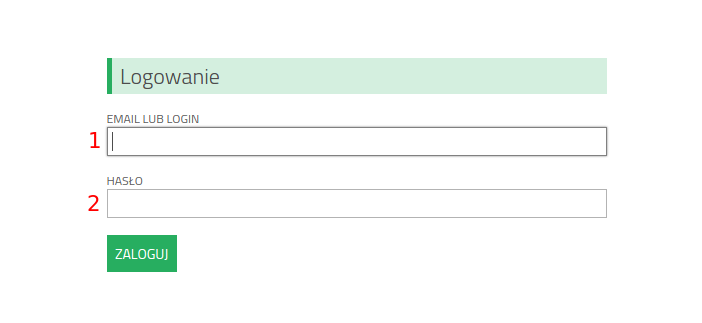
Signing in
- Type in "LOGIN" or "E-MAIL"
- Type in "PASSWORD"
- Click "SIGN IN"
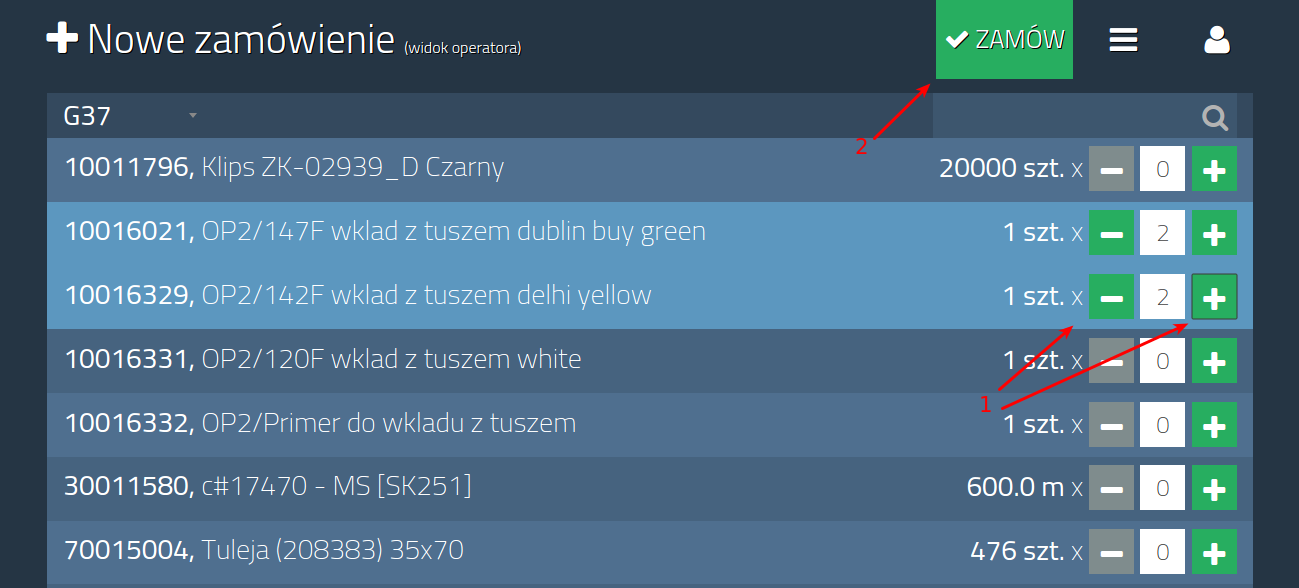
Ordering - step 1
- Use buttons "+" and "-" to select correct quantity. You can order many materials at the same time
- Click "ORDER"
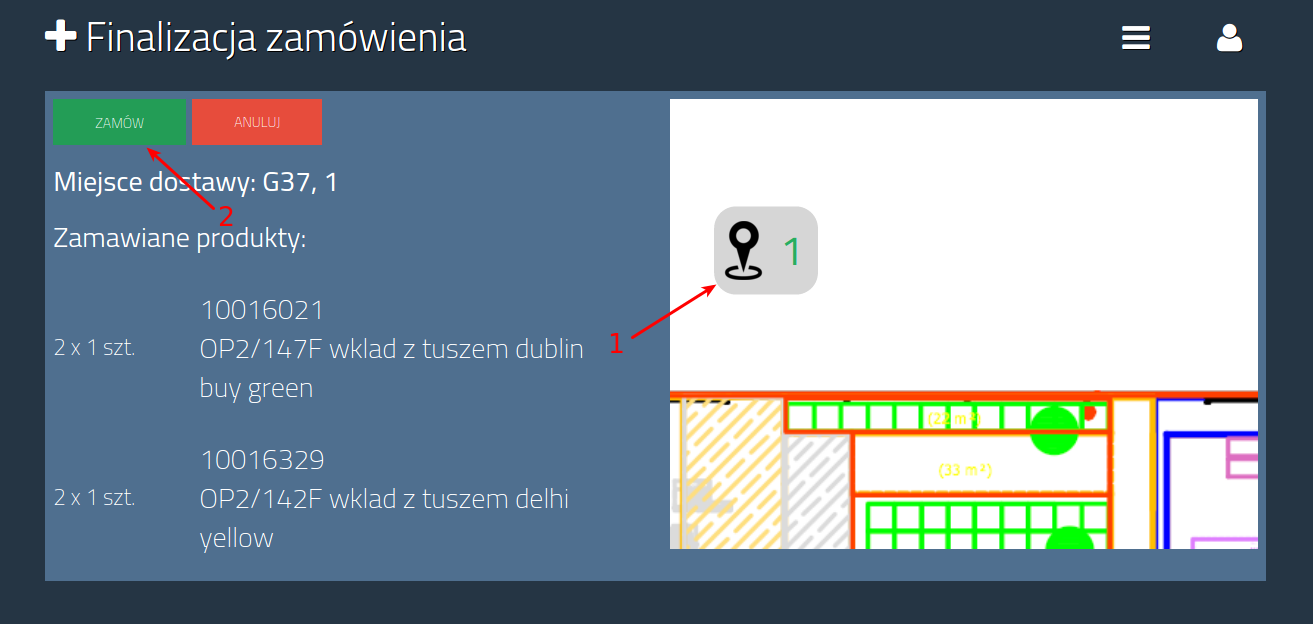
Ordering - step 2
- Select destination. If there is only 1 destination it is selected initially
- Click "ORDER"
Ponowne zamawianie materiałów
- Click "MORE"
- Click "REORDER"
Single order handling
- Click "MORE" - order details will appear
- Click "INFORM" if you want to inform an operator about a material on the way
- Click "PICK UP" if you want to pick up an order
- Click "CANCEL" if you want to cancel an order
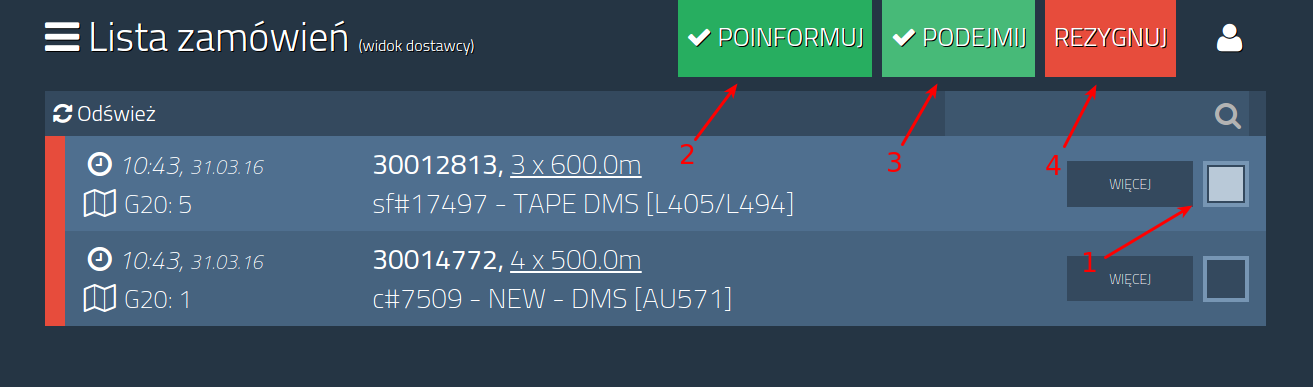
Multiple orders handling
- Select orders by clicking on squares - available options will appear
- Click "INFORM" if you want to inform an operator about a material on the way
- Click "PICK UP" if you want to pick up orders
- Click "CANCEL" if you want to cancel orders
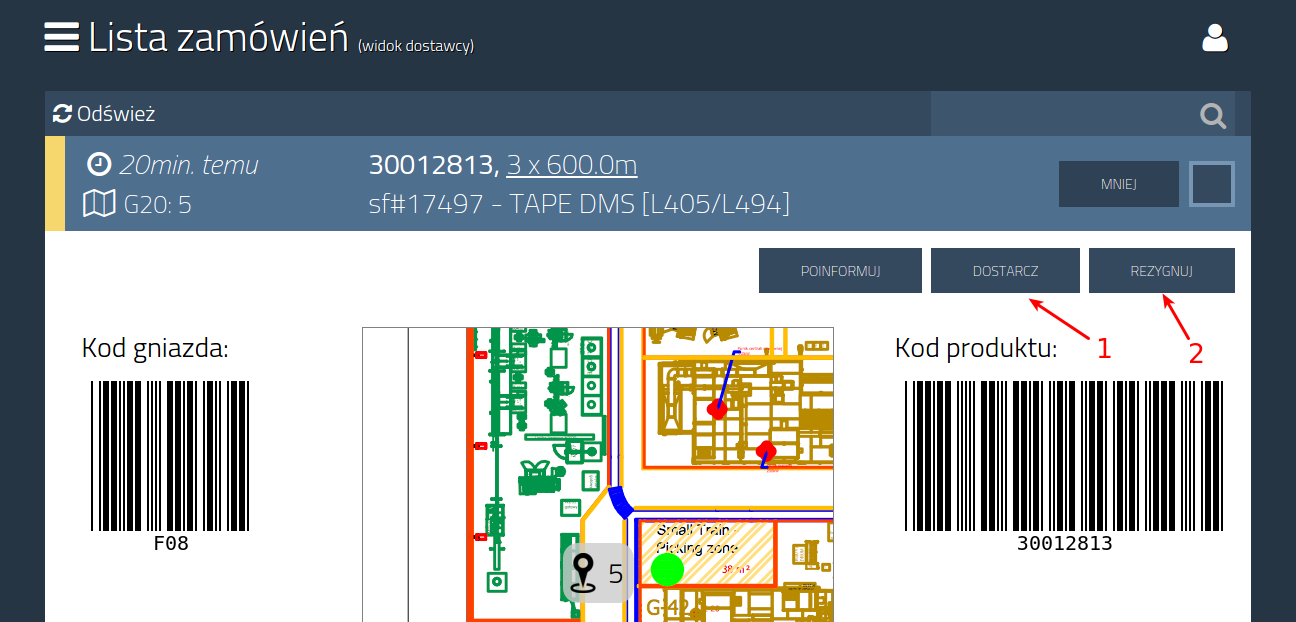
Delivering an order
- Click "MORE" - order details will appear
- Click "DELIVER" if you want to deliver an order
- Click "CANCEL" if you want to cancel an order
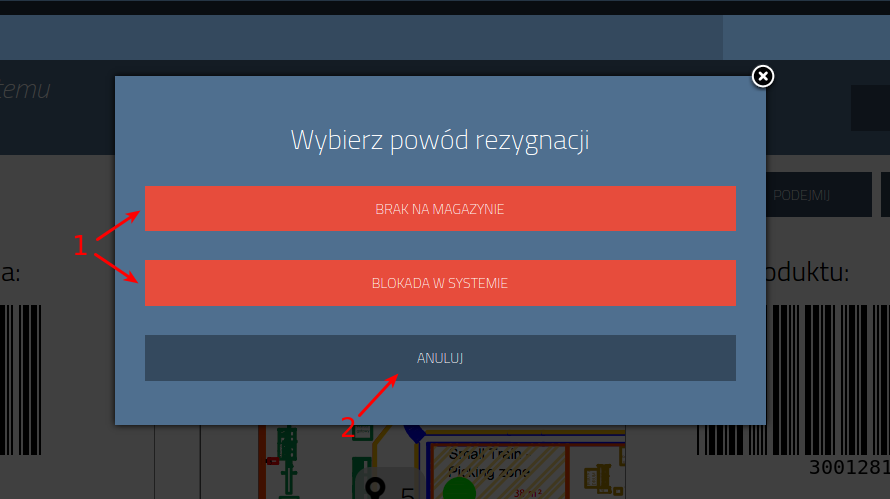
Cancelling an order
- After clicking "CANCEL" a cancellation window will appear
- Select cancellation reason - the window will close automatically
- Click "CLOSE" if you do not want to cancel an order
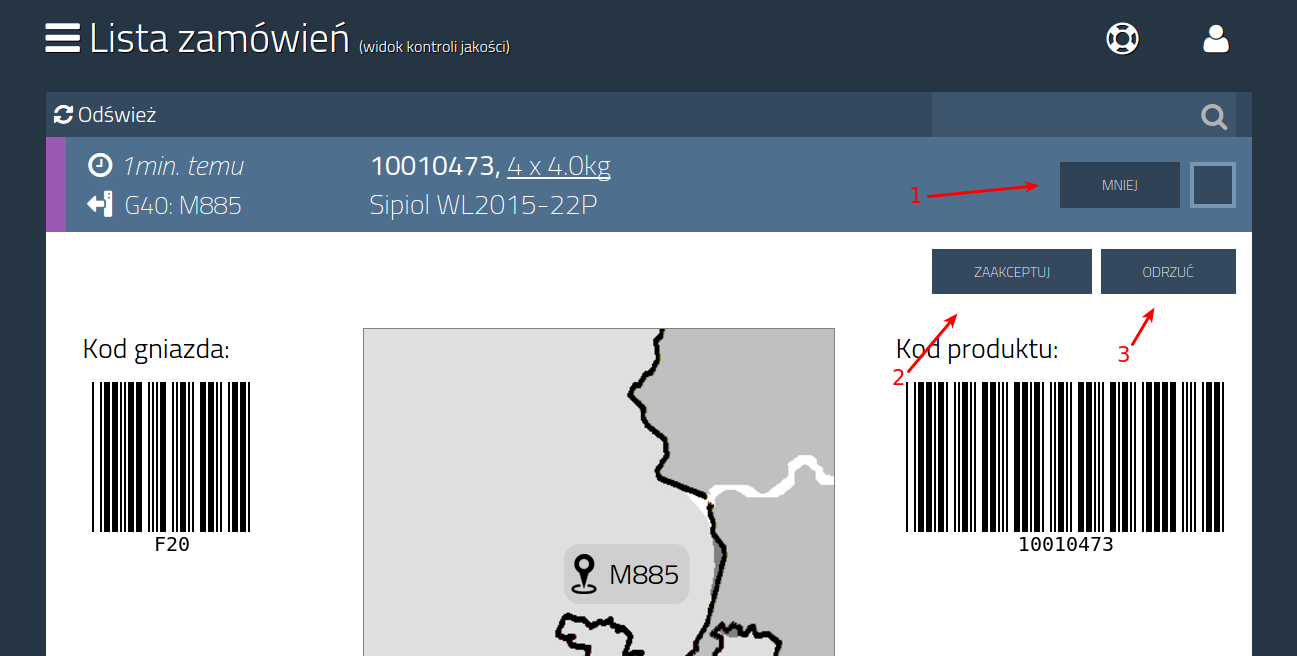
Single order handling
- Click "MORE" - order details will appear
- Click "ACCEPT" if a quality control result is positive
- Click "REJECT" if a quality control result is negative
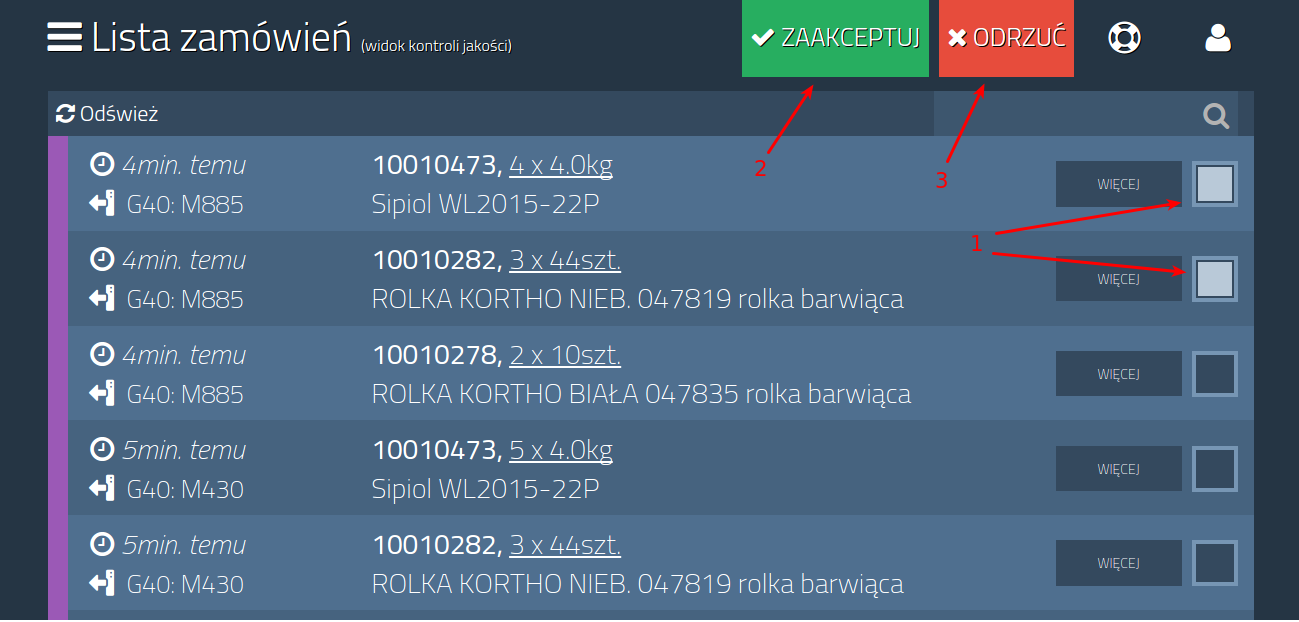
Multiple orders handling
- Select orders by clicking on squares - available options will appear
- Click "ACCEPT" if a quality control result is positive
- Click "REJECT" if a quality control result is negative